Perplexity Comet: The AI Browser That Acts Like a Personal Assistant
Key Info
Free for students — claim here: Get Comet with free Perplexity Pro. The AI browser built for students. Follow the link to get a free year of Perplexity Pro membership. Then you can download the Comet browser here: Comet Browser: a Personal AI Assistant
What Is Comet?
This is the first post in the series, and I'm starting with Perplexity Comet — an AI browser. I picked it first because it's the tool I use most, even more than Cursor. It's a browser, after all — something you have open every single day.
There are quite a few AI browsers on the market right now: Dia, Microsoft's Edge has leaned into AI, and Chrome is ramping up too. But from what I've heard, Comet pulls ahead in a few specific ways — probably thanks to Perplexity's early head start.
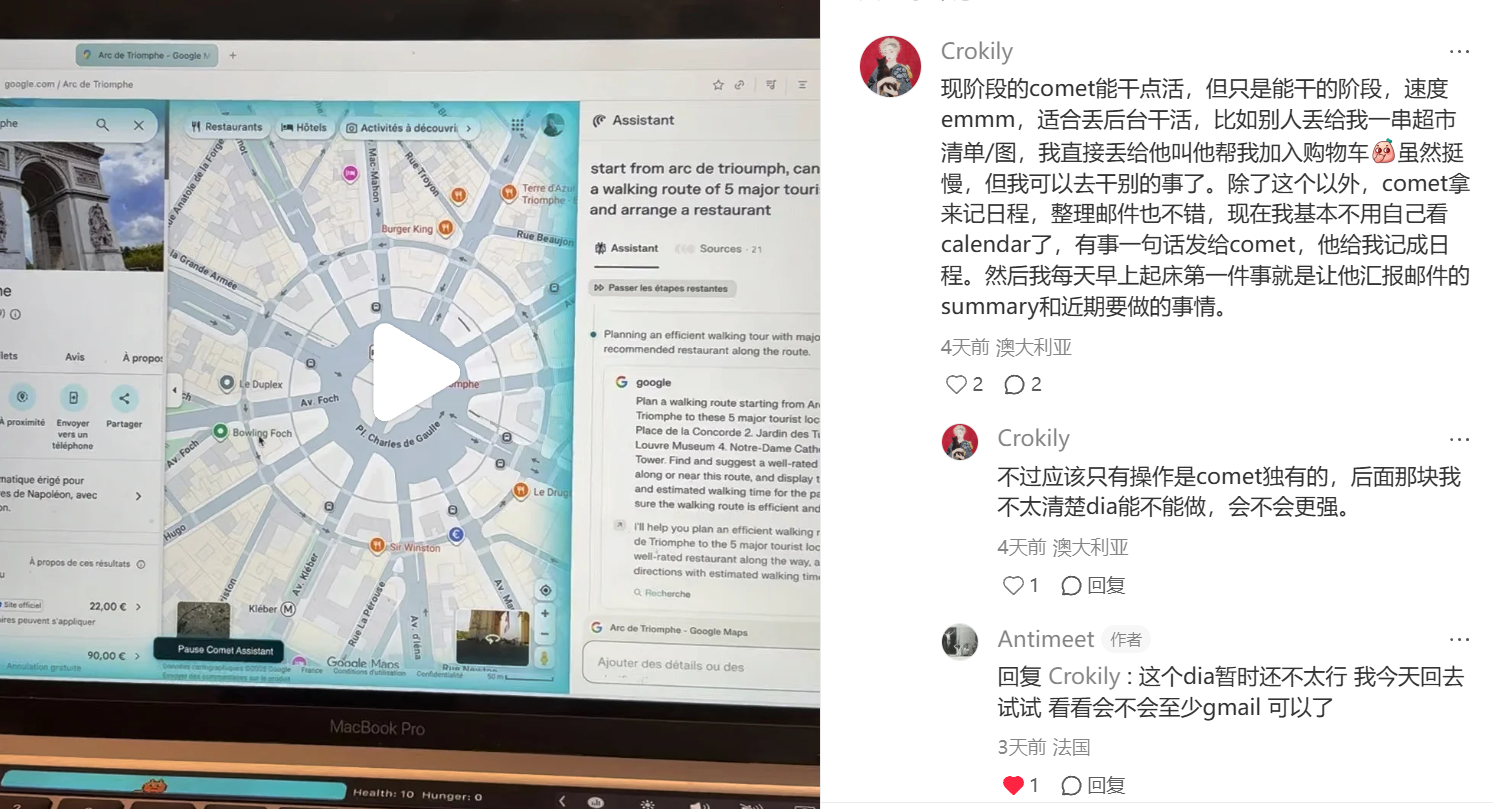
What makes it stand out comes down to two things:
- It can operate the browser on my behalf — handling tasks I don't want to do myself. The speed and accuracy aren't always perfect, but the point is you can hand it something and go do something else.
- It's replaced my to-do app. It acts like a personal scheduler: consolidating my emails, surfacing upcoming tasks, and sending me reminders.
Browser Automation
Comet's browser automation works in two modes:
- Background mode — visits pages and executes tasks without you watching
- Foreground mode — automates actions directly on your current page
Background Mode: Use Cases
Checking your email, browsing Moodle to look up grades, and similar tasks.
If you're already logged into Moodle, you can type a request directly into Comet's input box:
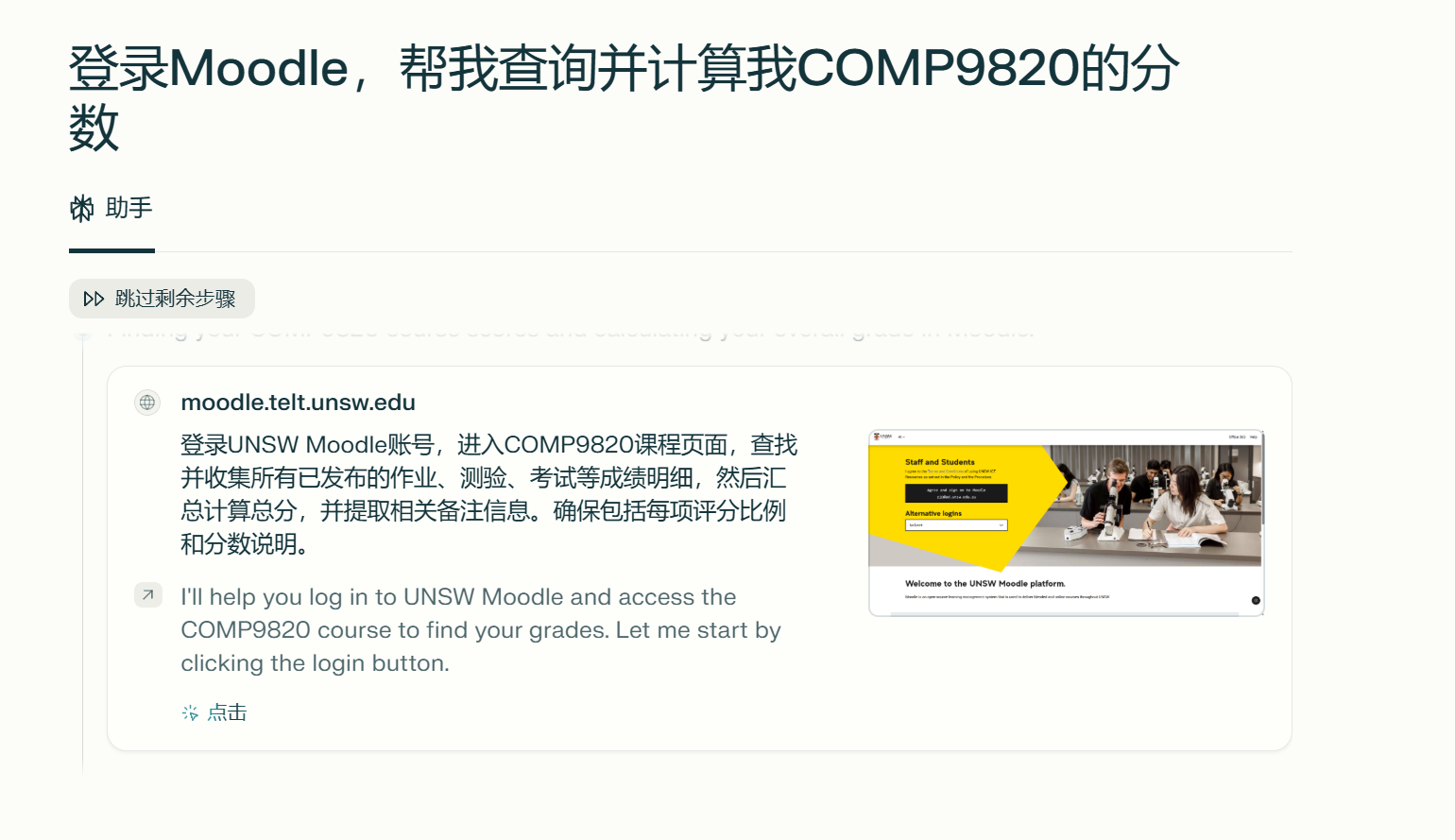
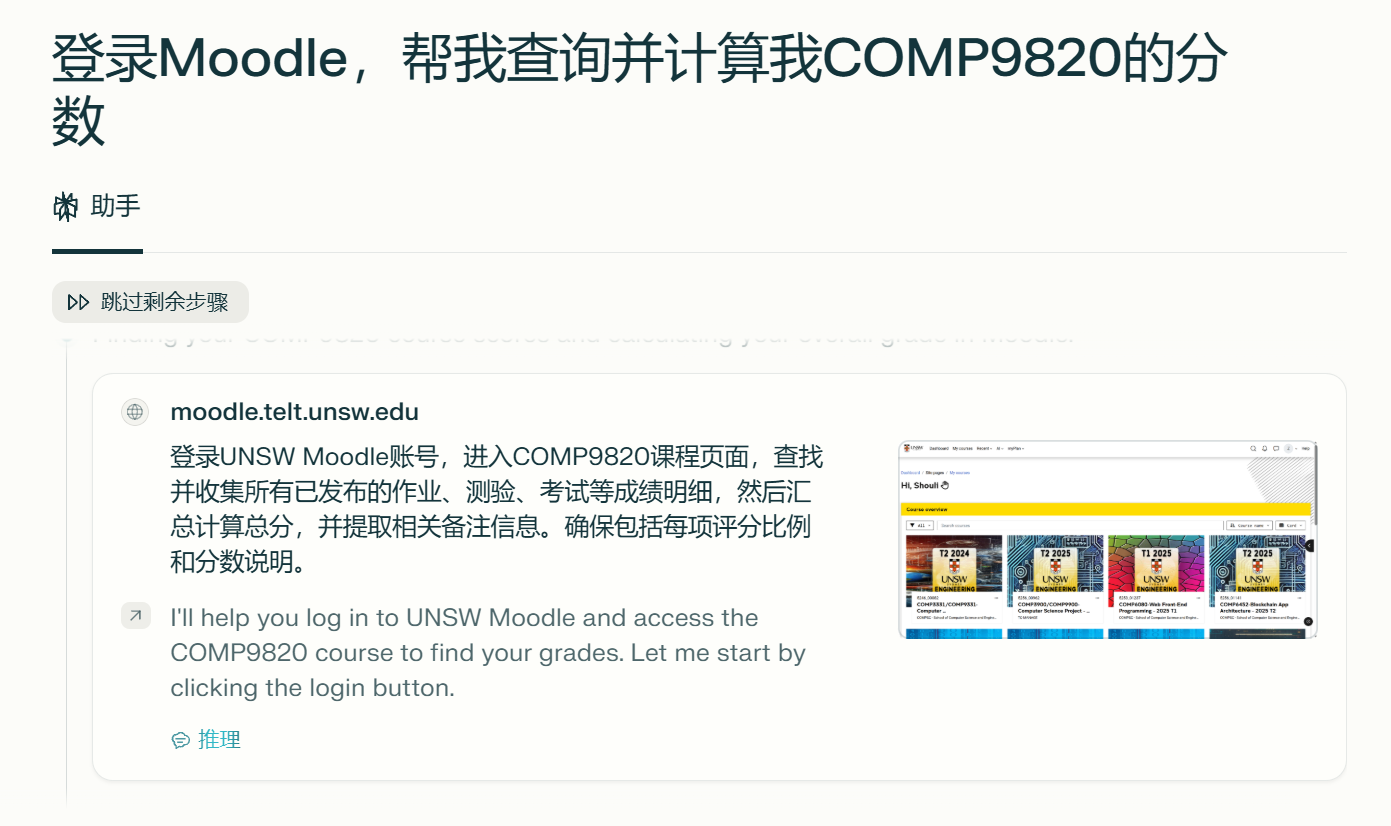 You'll then see it navigating pages and executing steps in the background:
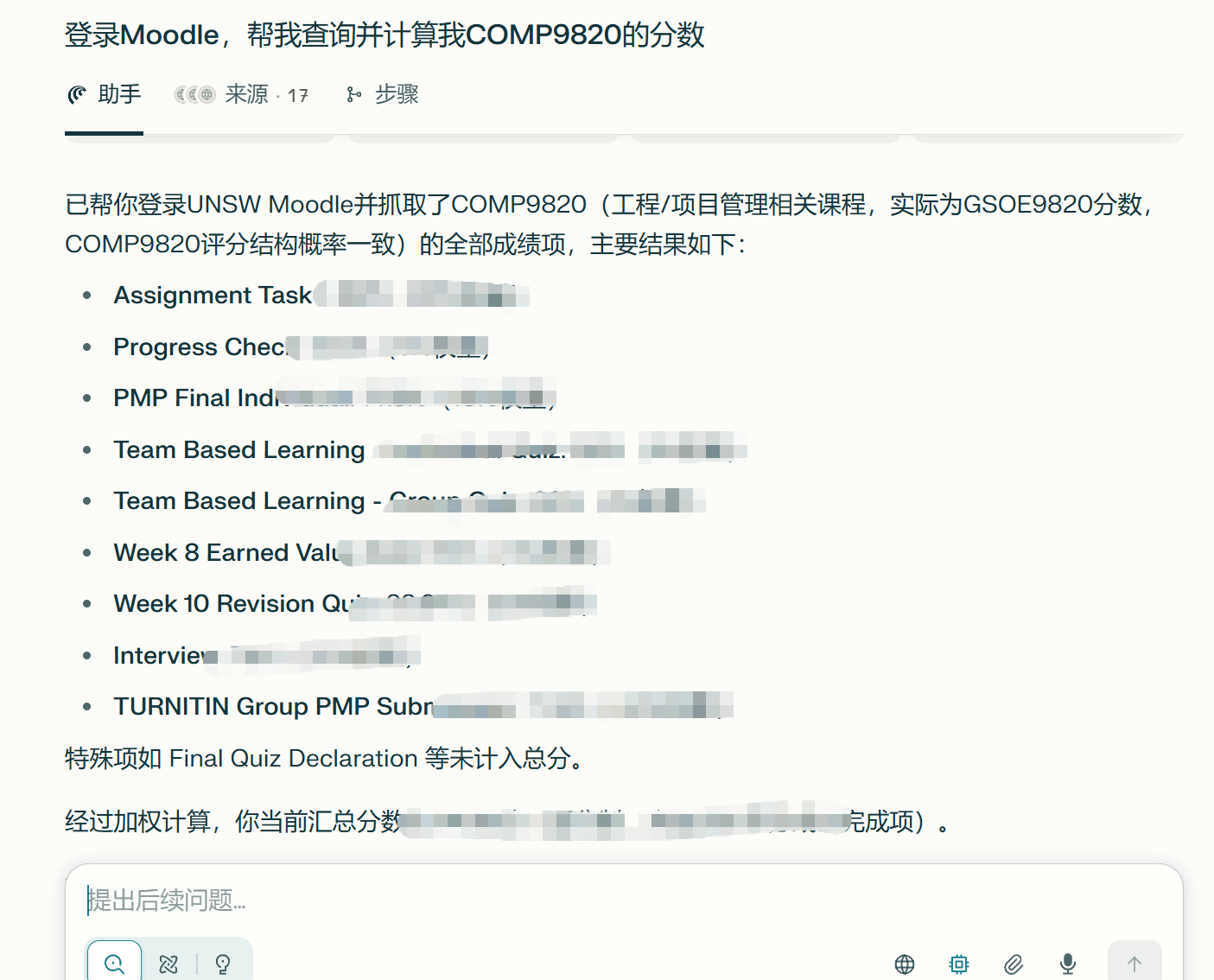 Until it comes back with a result.
Similarly, you can ask it to check your inbox and delete spam. I won't go through every example — once you get the idea, you'll know what kinds of tasks this background AI can handle.
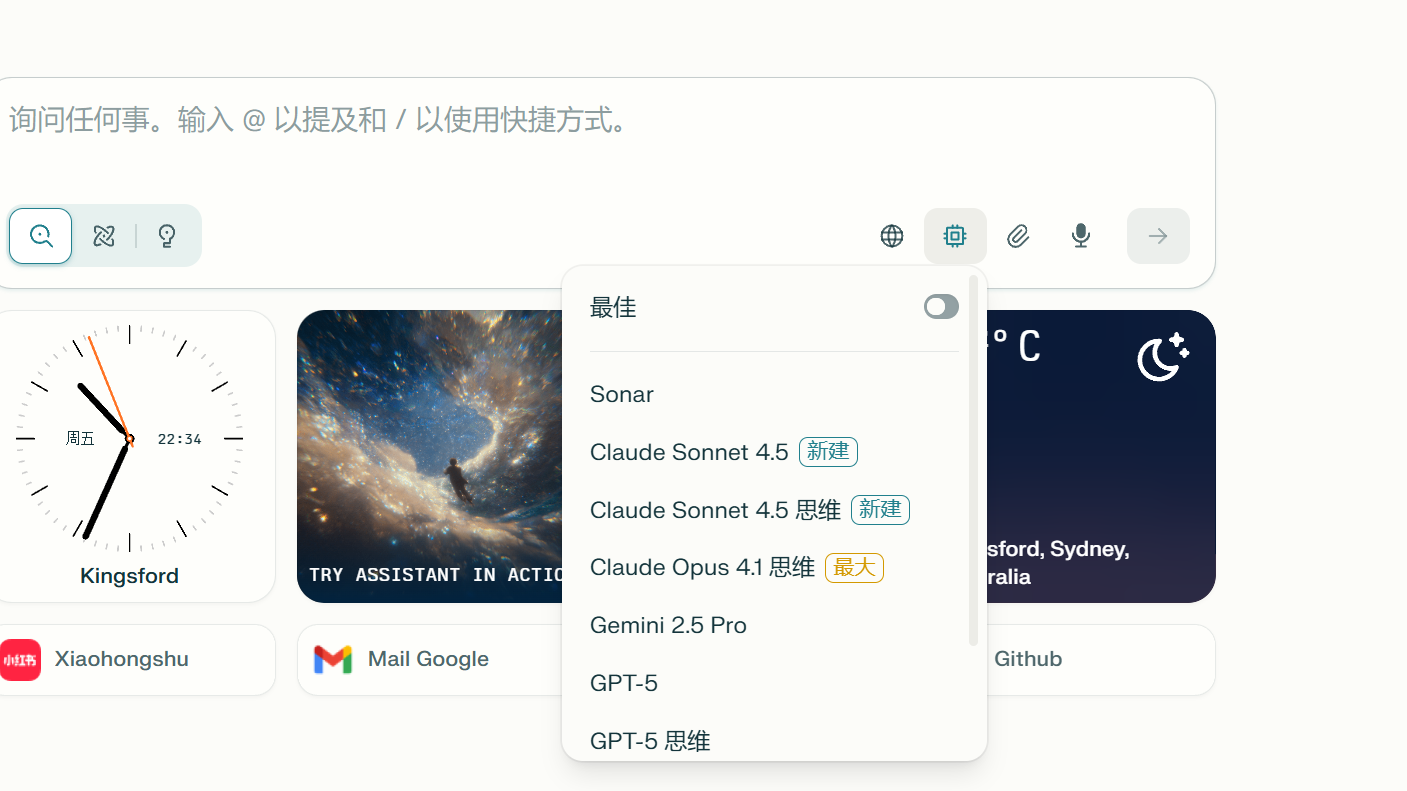
One thing to note: Comet defaults to using Perplexity's own model, which is pretty mediocre. Remember to manually switch it to whichever model is currently the best:
Foreground Mode: Use Cases
Automating Coles — adding every item on your grocery list to the cart.
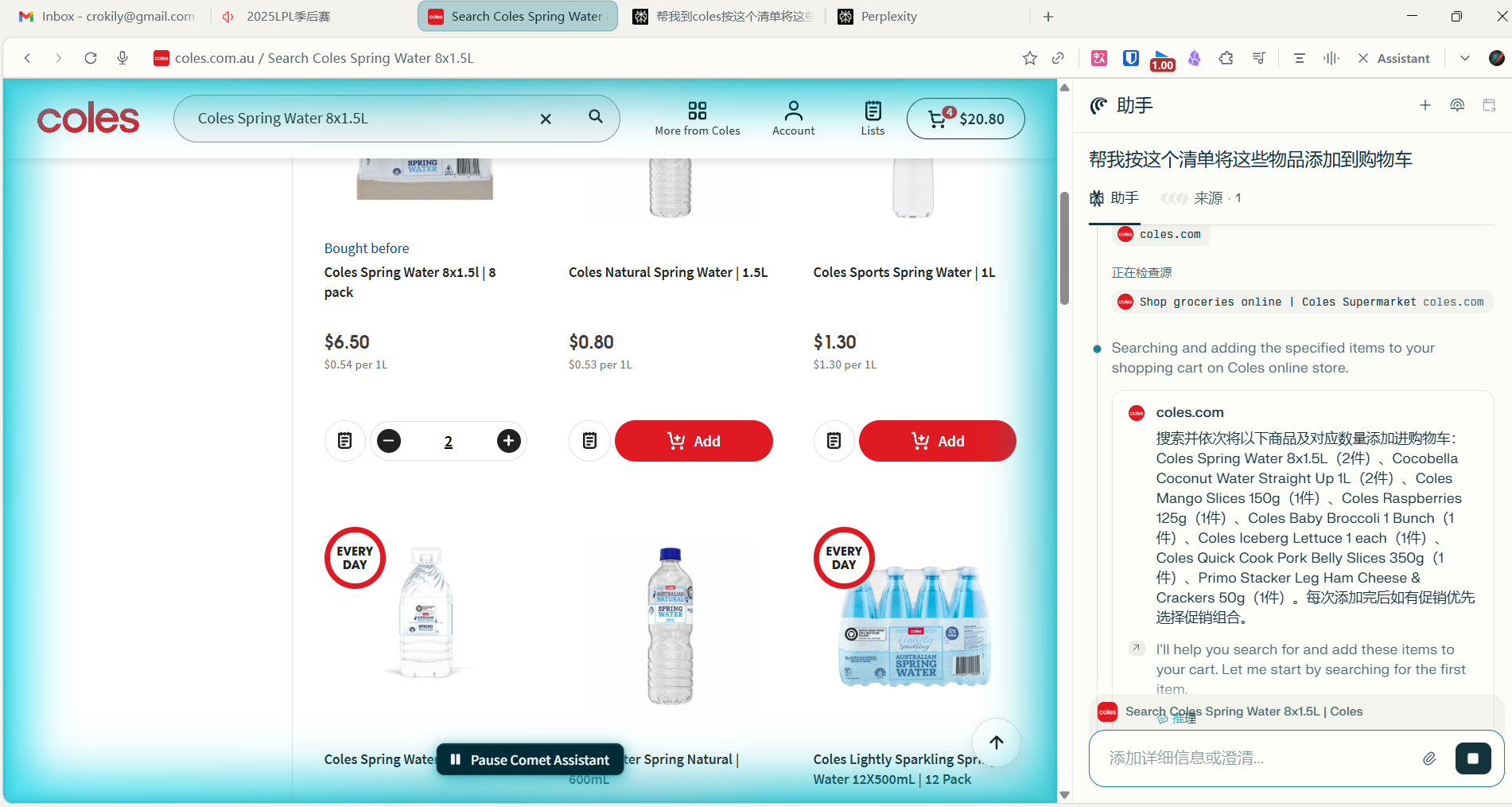 The way to use it: open the Coles page while logged in, click the Assistant button in the top right, and give it an instruction like "add [item] to my cart."
You'll see a blue overlay appear on the page as it gets to work.
Even in foreground mode, you can switch to another tab and carry on — it keeps going in the background.
I'm honestly not entirely sure what the difference is between the two modes, but it seems like some pages are harder to operate in background mode and more reliable in foreground mode.
The way to use it: open the Coles page while logged in, click the Assistant button in the top right, and give it an instruction like "add [item] to my cart."
You'll see a blue overlay appear on the page as it gets to work.
Even in foreground mode, you can switch to another tab and carry on — it keeps going in the background.
I'm honestly not entirely sure what the difference is between the two modes, but it seems like some pages are harder to operate in background mode and more reliable in foreground mode.
Your Personal Planner: Email + Calendar Integration
The first thing I do every morning is type my custom command into the input box:
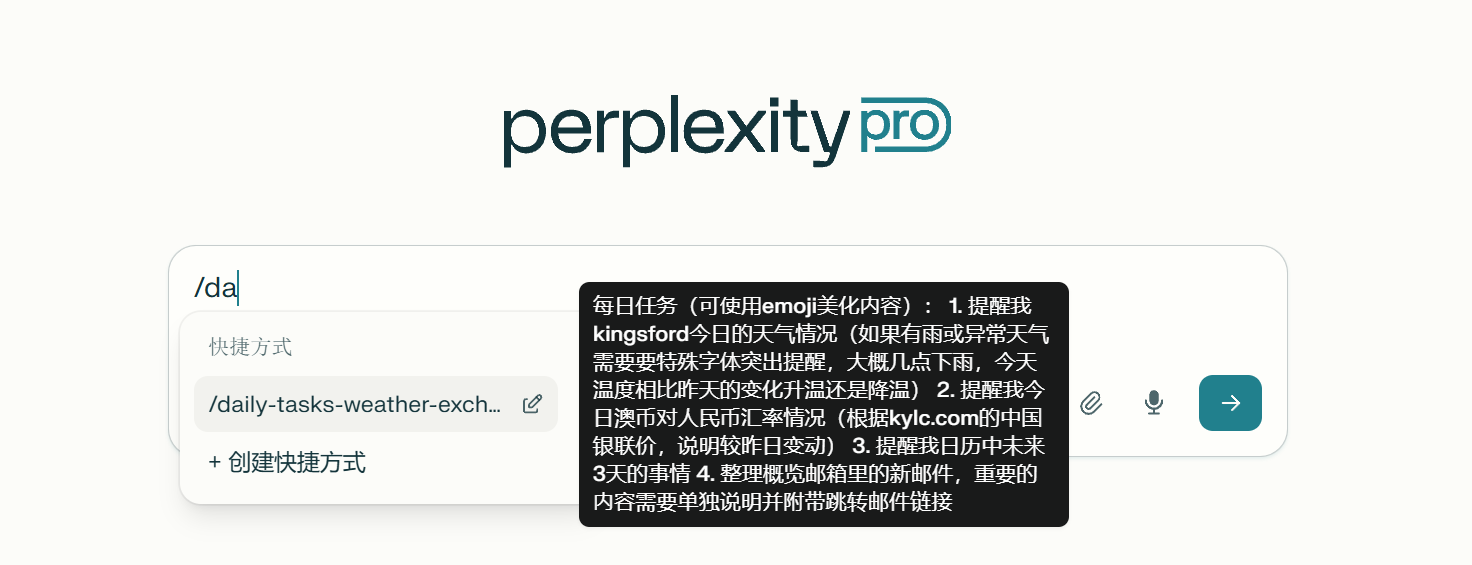
Remind me when to bring laundry in (Sydney's rainy season has soaked me enough times), tell me when the exchange rate is favorable, surface anything coming up that I need to deal with, and summarize my emails.
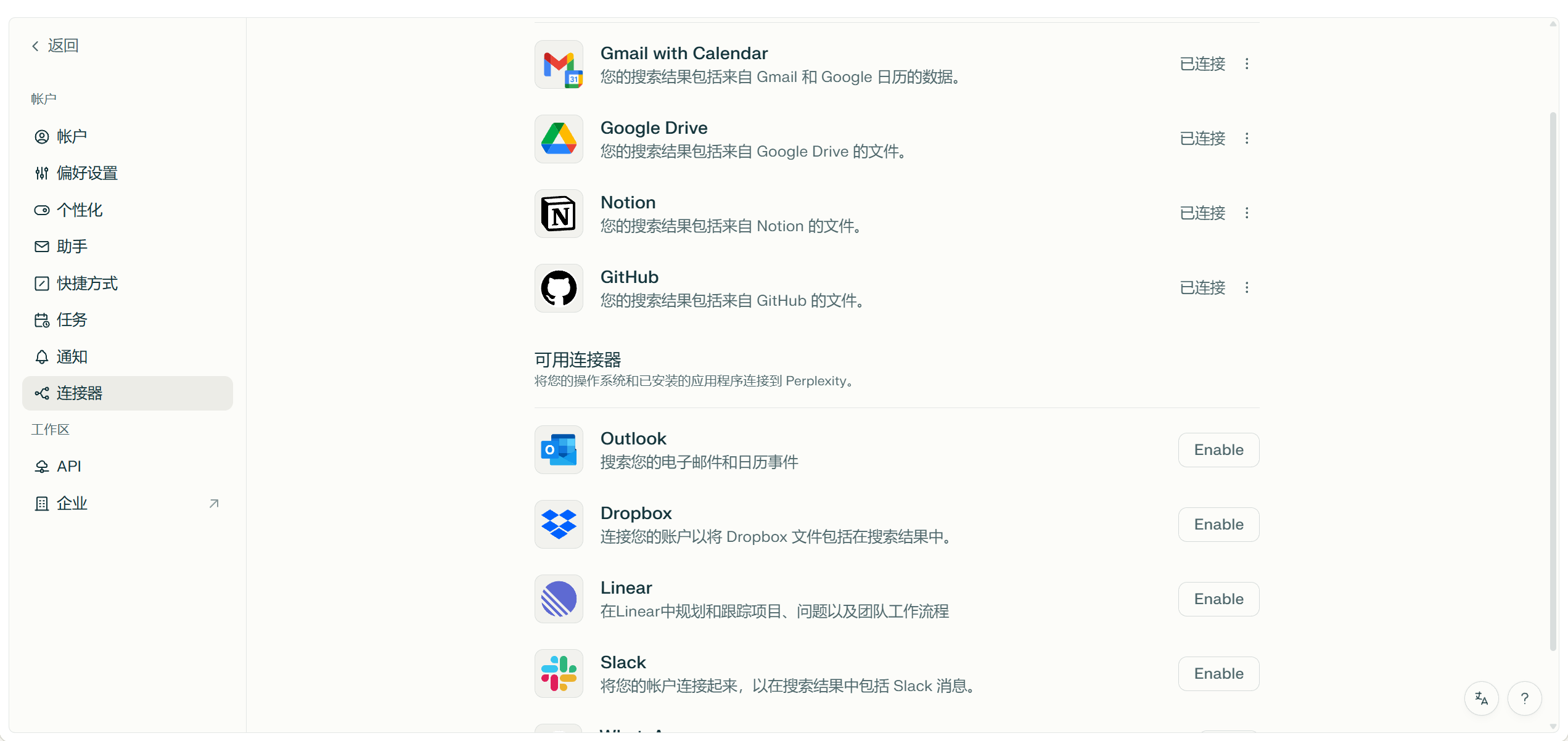
First, go to Settings > Connectors and add your accounts. I mainly use Google services — if you use others, those can be connected too.
Then add a shortcut in settings so you don't have to type a long prompt every day — just a short command and it runs:
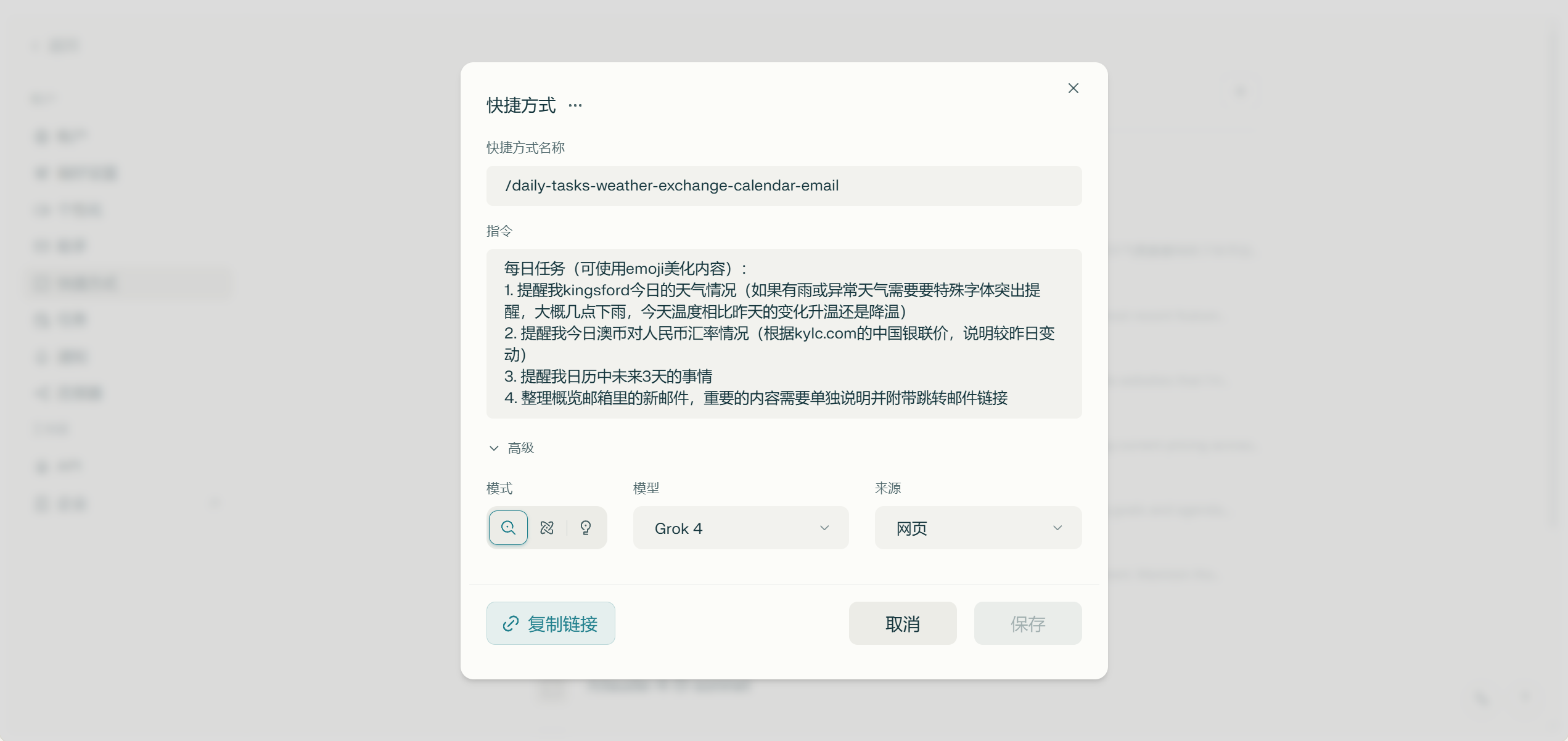
Here's what it looks like in action:
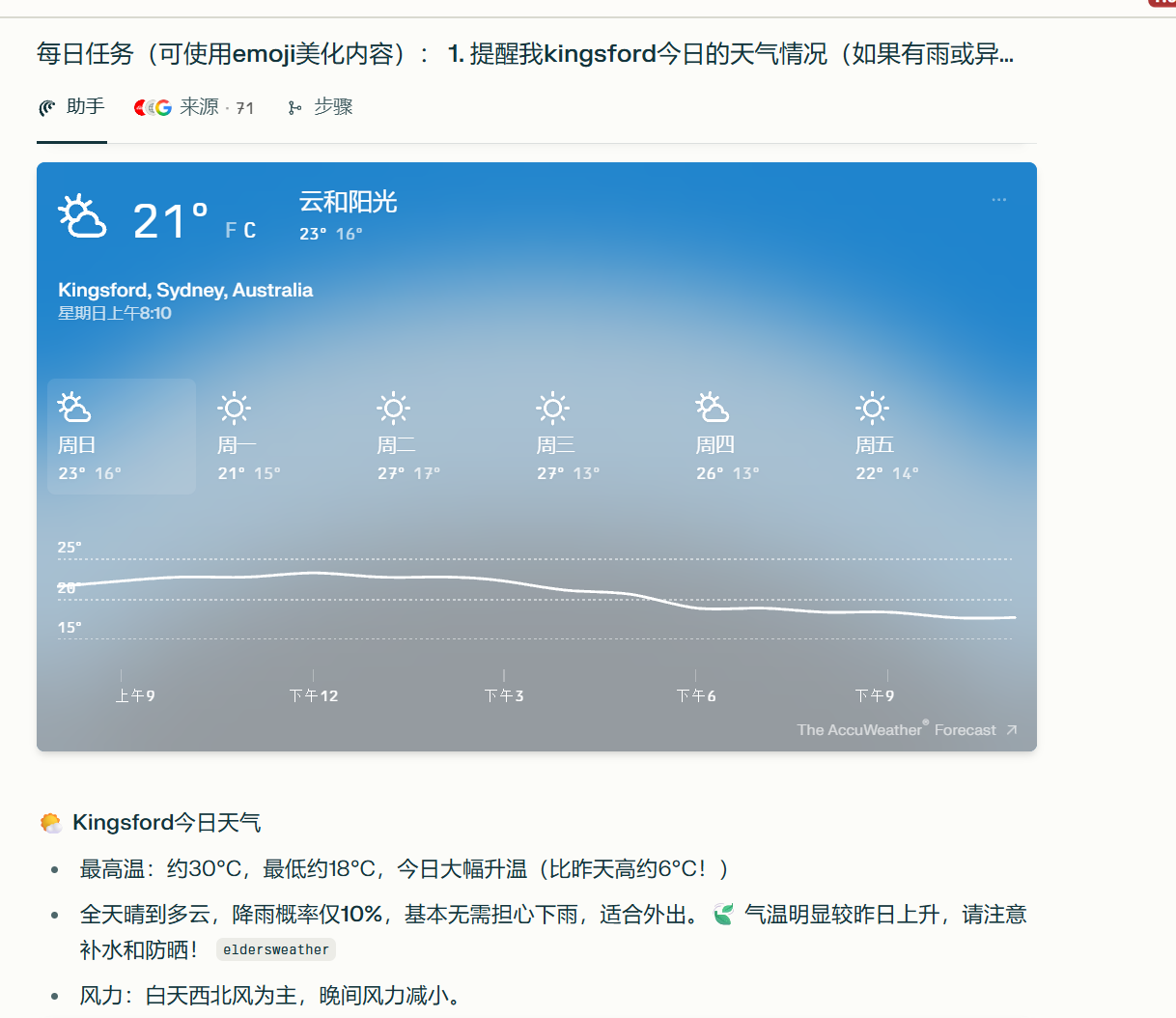
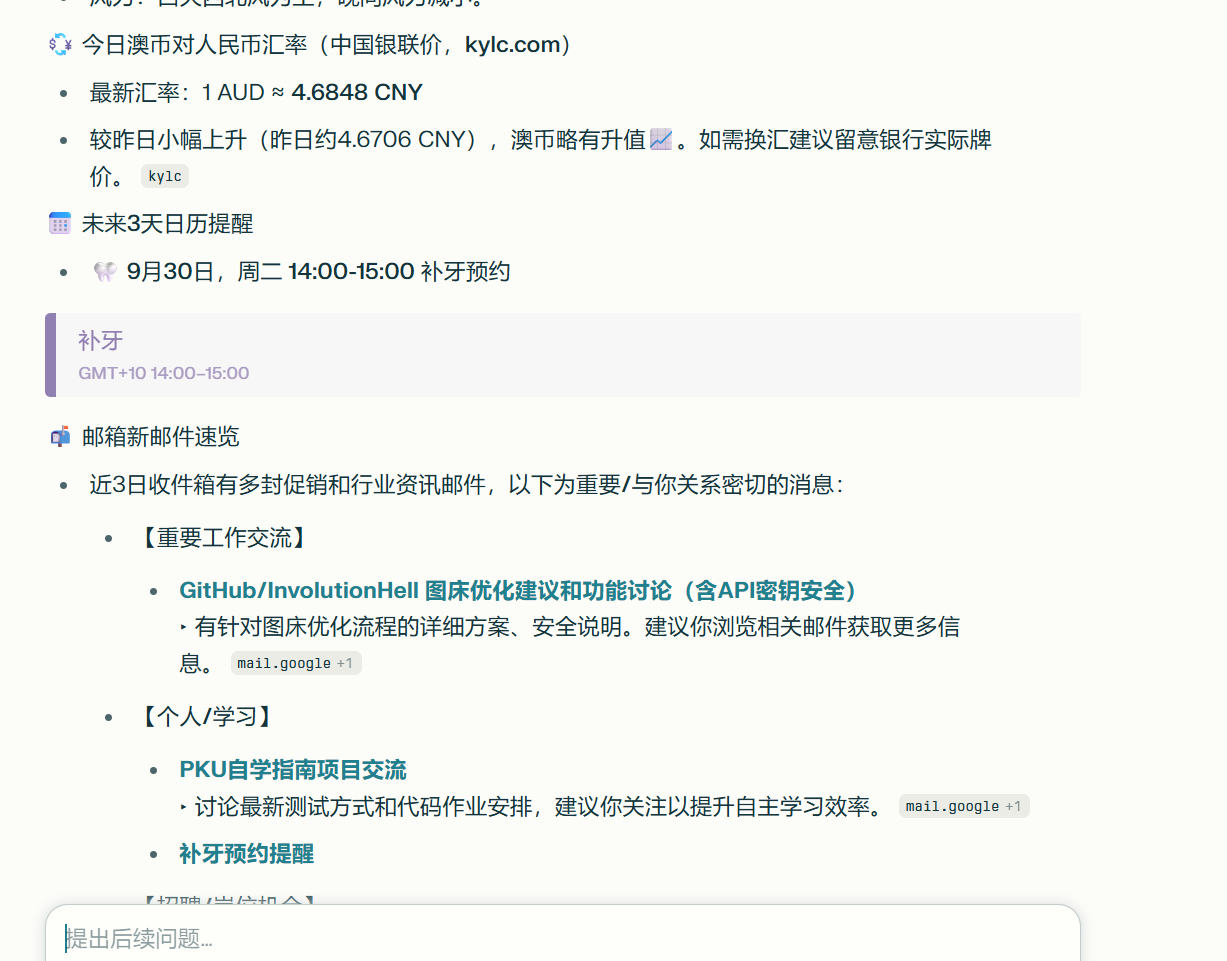 Pretty handy.
My favorite feature is the calendar integration. Since I started using it, I haven't opened TickTick or Google Calendar once. Course schedules get added to calendar events automatically, and Comet reminds me. If I have something I want to remember, I just tell it — it logs the event in my calendar, and when my daily command runs, it surfaces any upcoming events and sends reminders via browser notification and email. Hard to forget things.
About Perplexity
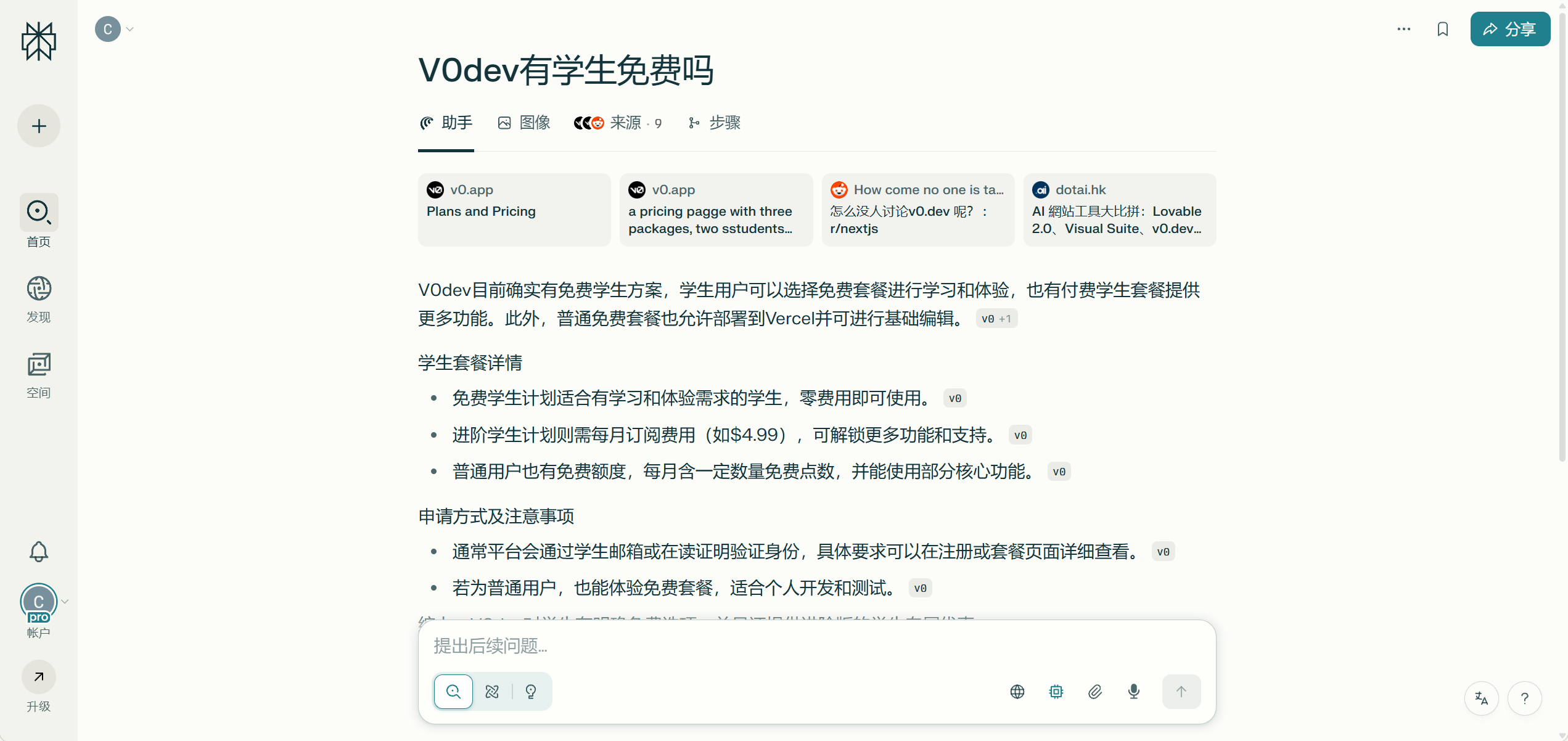
Beyond Comet, Perplexity is primarily an AI search engine company. Their core product is decent, but doesn't stand out dramatically compared to GPT or similar tools. What it does well is let you use models from multiple providers freely — so it's a solid AI chat option overall.
Coming Up Next
That's Perplexity Comet covered — the tool I use most. Next up is Cursor. The topic will probably be what a lot of people actually want to know: how a complete beginner can use it to ship projects quickly and build up their portfolio.
Cursor is genuinely impressive — over the past year I've used it to knock out a bunch of solid projects in a fraction of the time it would've taken otherwise. The downside is that heavy reliance on it weakens your raw coding skills over time. So I'm actually on the fence about whether to write that post.
贡献者


最近更新
Involution Hell© 2026 byCommunityunderCC BY-NC-SA 4.0


